Bring your own FCM: why you should keep the credential
If a vendor owns your Firebase project, they own your quota and your sending reputation. Here is why that is a bad trade.

Most engagement vendors send push through a Firebase project they own. That is convenient on day one and expensive the moment you want to leave, or the moment their quota is not your quota.
What you actually give away
Firebase Cloud Messaging is not a branded channel. It is Google's pipe, addressed by a service account. Whoever holds that service account holds:
- The quota. Burst sends, retries and other customers on the same project all share it.
- The reputation. FCM can throttle or degrade a project that looks abusive. You inherit that, even when the abuse was not yours.
- The lock-in. Device tokens are registered against that project. Moving vendors means re-registering every install.
None of that is visible in a "send your first push in five minutes" demo.
The alternative is one JSON file
Create a service account in your Firebase project with the Cloud Messaging role. Paste it into the connection form. The platform should verify it with a test send, then store an encrypted reference — not the raw secret in a database row.
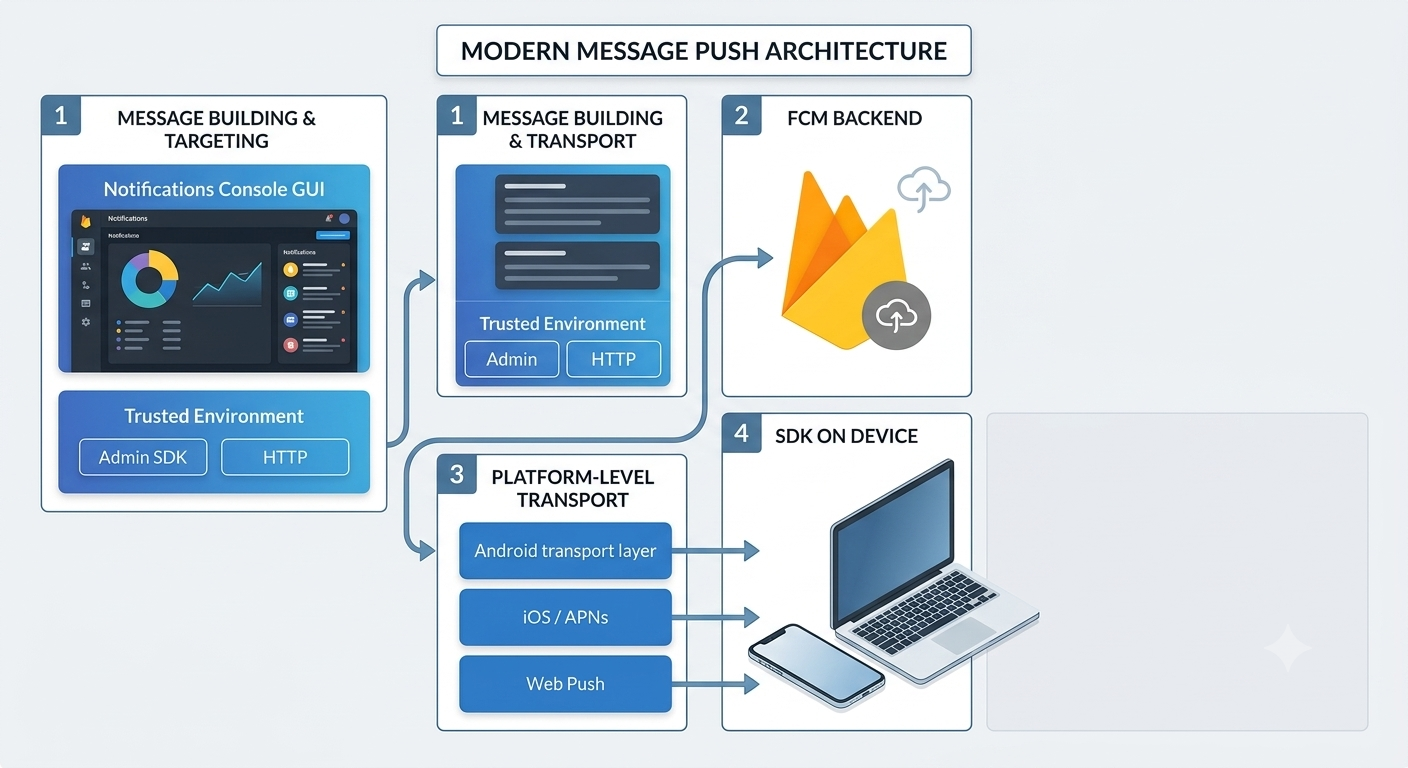
After that, client SDKs register tokens as usual. Sends batch through FCM's sendEach. Tokens FCM reports as unregistered get pruned, so audience counts stay honest.
iOS does not need a second credential. Upload your APNs key to Firebase once; FCM relays to APNs. One connection covers both platforms.
What you keep
Delivery cost stays on your Firebase bill. Reputation stays on your project. If you stop using the vendor, the tokens still belong to you.
That is the entire point of bring-your-own-credentials. The vendor should orchestrate campaigns, not own the pipe.
Where Retainza fits
Retainza sends through your Firebase project. You paste a service-account JSON; it is verified, then stored via envelope encryption. Dead tokens are pruned automatically. iOS rides the same FCM connection through APNs relay.